Loftia rewards: pre-registration, Demo and claiming
Identify Loftia’s Steam Hat, Early Loftian Shirt and Demo rewards, use the official account page and check the linking that saved them for Early Access.
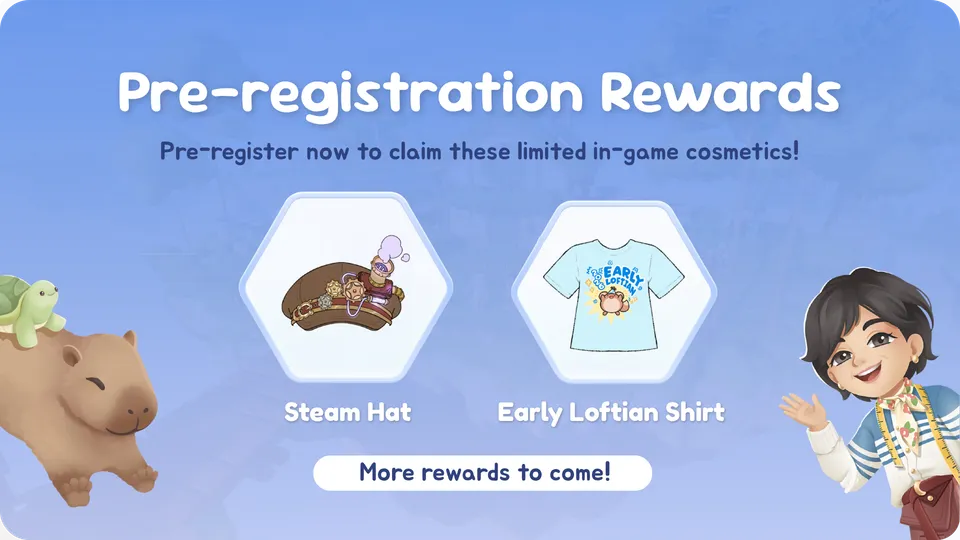
Which Loftia rewards are you looking for?
Start by separating pre-registration cosmetics, October Demo rewards and World Project rewards. They come from different activities. Creating an account, entering a friend’s referral code and earning an in-game reward are separate actions; the reward you want determines which instructions to follow.
| Reward | Where it comes from | What to check |
|---|---|---|
| Steam Hat | Official pre-registration campaign | Your website account’s reward claims |
| Early Loftian Shirt | Official pre-registration campaign | The same pre-registration claim area |
| Demo Banner | First entry to the Player Neighborhood during the October Demo | Website claim and in-game email linking |
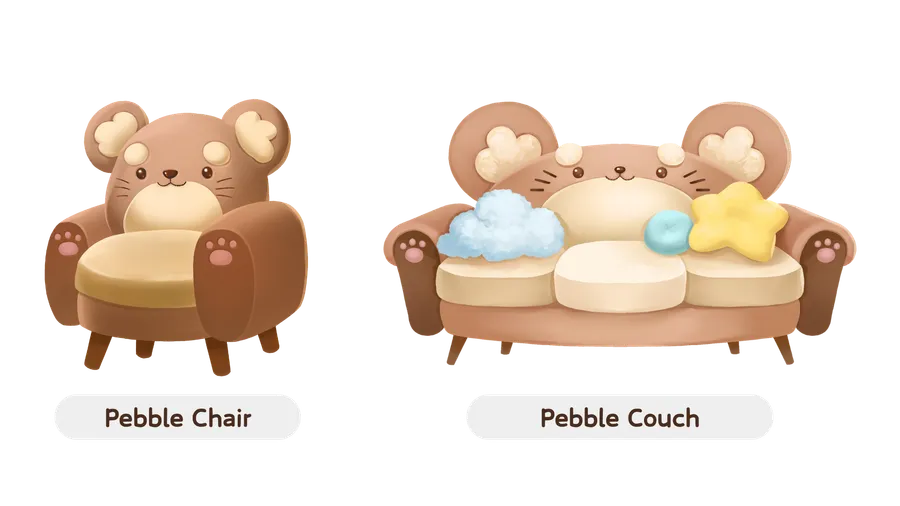
| Pebble Chair and Pebble Couch | Friend-invite rewards shown in the Demo announcement | Your account’s recorded Demo reward eligibility |
| World Project cosmetics | Project reward tracks | The project’s standard and Community Pass rewards |
The October Demo ran October 19–26, 2026. Its participation rewards belong to that finished event; creating an account afterward does not recreate the required Demo visit. See Demo progress and carryover for the event’s scope.
How do you claim pre-registration rewards?
Go to the official registration page to create an account, or use its Log in link if you already have one. The form asks for a name and email. A friend’s referral code is optional, so you can register without finding a code first.
The developer’s pre-registration announcement includes existing account holders: log in and pre-register with that account to access the campaign’s two cosmetics. Its reward artwork names them Steam Hat and Early Loftian Shirt. Review the rewards shown in your account before continuing, since campaign availability can change around launch.
Pre-registration prepares a website account and its rewards. The paid game is a separate purchase; the buying guide covers the stores and announced launch offer.
How were Demo rewards saved for Early Access?
The Demo Banner instructions required two steps: link your email address in-game and claim the reward on the official website. Keep the same account when returning to Early Access so the game can connect eligible rewards with the account that earned them.
Qloud’s October 8 Demo announcement ties the saved reward to two steps: linking your email address in-game and claiming the reward on the Loftia website. The post does not describe a way to recover a Demo reward from an account that was never linked. If linking failed or the wrong email was used, contact [email protected] with the relevant account details rather than creating more accounts to troubleshoot.
Is a referral code the same as a reward code?
A referral code identifies a friend’s invitation. The registration form describes it as an optional 12-character friend code. It is different from a Steam game key and from a reward already attached to your website account. Enter a friend’s code in the referral field.
For a missing cosmetic, first identify the campaign and the account that earned it. Then check the website reward area and the game’s account link. Re-entering unrelated referral codes is not a replacement for linking the correct account.
Do World Project rewards expire?
Qloud says Community Pass rewards remain available after their World Project finishes. These are additional cosmetics alongside standard rewards, as explained in the World Projects and Community Pass guide. That rule applies to project rewards; use each separate campaign’s requirements for pre-registration or Demo items.
Returning Demo players should also review character-name retention and worldwide launch times before their next session.
Related Articles
guides
Loftia storage: Personal Storage and a full bag
Build Personal Storage at the Project Station, ship crops and cooked dishes instead of hoarding them, and hand fish to the Research Station that lists them.
guides
Loftia low FPS and high CPU: what actually helps
Cap the frame rate first: Loftia runs uncapped, and the Overgrowth in the Hanging Gardens is the area players single out. Check your server region.
guides
Loftia stuck quests: resets that clear the block
Clear a blocked objective with the reset that matches it: Pebble's City Tour, an unclosing dialogue, a stuck Adventure hand-in or the cat on the roof.
Was this helpful?
Thanks for the feedback!