Loftia Demo: progress, rewards and account linking
Review Loftia’s October Demo, link your website account, keep your Banner reward and understand progress carryover and character-name rules.
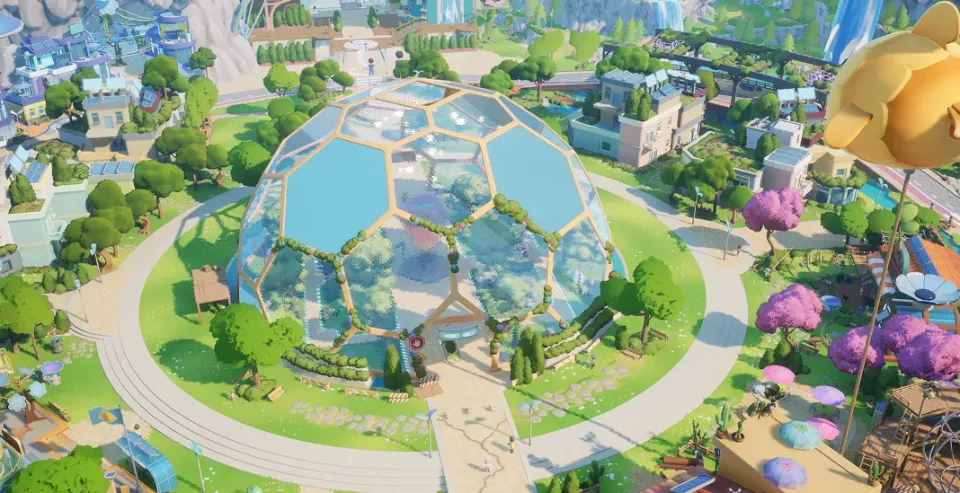
Is the October Demo event still running?
The announced event ran October 19–26, 2026, and the developer published a closing message on October 26. For the release schedule, see Early Access launch time.
The Demo and full game have separate Steam IDs: 5315310 and 2320980. Use the full-game Steam page when preparing to buy Loftia.
How did players link their progress?
The developer’s Demo announcement gives this account-linking process:
- Create a Loftia website account through the official site if needed.
- Link that account in-game using its email address.
- Use the developer’s account-support instructions if linking fails.
The announcement warns that progress and rewards from an unlinked account cannot be recovered. For linking issues, email [email protected].
What happened to Demo rewards and character names?
The Demo Banner was unlocked when a player first entered the Player Neighborhood during the event. The event instructions also required email linking and claiming the reward on the official website to save it for Early Access.
The developer says gameplay progress and names carry over. A claimed name can become available to others if its player does not log into Early Access between November 3, 2026 and February 3, 2027. Dates can change — check the official account announcement for the current rule. See character-name reservation for the character limit and linking steps.
What content was in the Demo?
| Topic | October Demo | Announced Early Access |
|---|---|---|
| Districts | Loftia City opening | City, Hanging Gardens and Gridfall |
| Activities | Farming, decorating, salvaging, Adventures and social play | Expanded activities and progression |
| Pets and fishing | Presented as additions beyond the Demo | Announced features |
| Proficiencies | Level 5 cap | Further levels and perk choices |
Use the launch reference for the new schedule and the Demo fixes archive for historical issue records. The beginner tips cover the documented planting prompt and City Tour recovery.
Related Articles
guides
Loftia character-name reservation guide
Keep your Loftia Demo character name, link your website account, save rewards and review the Early Access login window and character limits.
guides
Loftia cross-play and server guide
Understand Loftia’s cross-play plans, how friends join the same server, online connection requirements and future Nintendo Switch membership needs.
guides
Where to buy Loftia: stores and platforms
Find Loftia’s official Steam and Epic Games Store links, PC and Mac support, Apple Silicon requirements, launch pricing and Nintendo Switch plans.
Was this helpful?
Thanks for the feedback!