Loftia Demo fixes: quests, login, decorating and Adventures
Find documented October Demo fixes, the Pebble City Tour recovery step, and changes to Adventure rewards and public garden beds.
Historical October Demo fixes, not a live server-status or open-bug list.
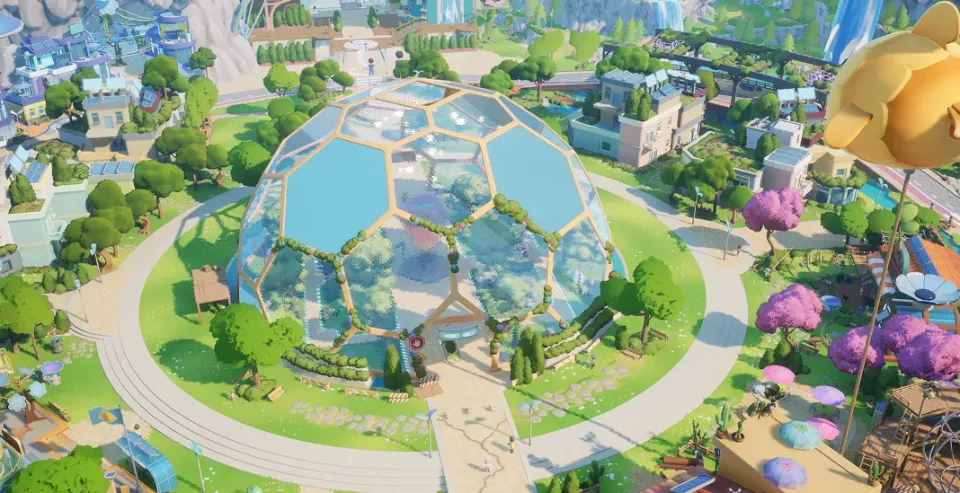
How do you resume Pebble’s City Tour?
Speak to Pebble again if the City Tour stopped after an interruption or disconnection. This is the recovery step published in Demo patch #2.
- Confirm that the blocked objective is Pebble’s City Tour.
- Return to Pebble and start the conversation again.
- If a different objective remains blocked, record its exact name and the last action before reporting it through official support.
The beginner guide also explains the planting Tool Wheel prompt. Both instructions refer to the October Demo.
Which login and travel problems were fixed?
| Symptom in the Demo | Developer’s recorded change |
|---|---|
| Temporary connection failures at login | Patch #2 added automatic retries |
| Steam was offline, closed or outdated | Patch #2 made the login messages clearer |
| Group neighborhood travel failed or returned to login | Addressed in patch #2 |
| House Showcase results or rewards failed | Addressed in patches #1 and #2 |
| Reconnecting repeated dialogue or blocked quests | Saved-progress corrections in patch #2 |
For a new login problem, first check current official service notices and whether Steam is running and online. To meet friends, compare the server information shown in both games; multiplayer explains the published server rule.
Which decorating problems were fixed?
| Symptom in the Demo | Patch |
|---|---|
| Valid furniture was blocked by a floor; large trees could not be placed again | #2 |
| Walls blocked furniture despite enough space | #3 |
| Switching off snapping changed rotation | #3 |
| Controller paint selection stashed furniture | #3 |
| Banners and wall decorations placed unreliably | #3 |
These are historical corrections. For a recurring placement problem in another build, include the object, placement message, input device and a screenshot in your report. Housing covers the island and neighborhood context.
Which Adventure problems were fixed?
Patch #2 attempted to address getting stuck in the ground after returning to Loftia City. Patch #3 added fixes for antenna interactions, blocked lake-biome exits, respawning after a fall and blank chat messages.
The Adventure reference separately explains the documented quest and chest conditions for Scrambled Coordinates.
Which world rules changed?
- Patch #1: Bloom and Scrambled Coordinates in the Daily Goodies Chest became available after Ryder’s introductory Adventure; the quest-step coordinate drop chance increased.
- Patch #1: Solar generation increased during rain and nighttime.
- Patch #2: Plantable public Garden Beds were removed from Loftia City while the team reconsidered how to explain their shared use.
- Patch #2: World Project contribution histories and shared player counts were corrected, along with solar/weather information on some islands.
- Patch #3: The contribution-bin pinning shortcut was fixed.
Where should you report a new problem?
Use the official community Discord server for announcements and community help, or contact the official support email at [email protected]. Include the app/build, platform, approximate time, objective, steps to reproduce and expected versus actual result. Keep credentials and recovery codes out of screenshots.
This archive covers Demo patches #1–#3. Check the current announcements for the version you are playing.
Related Articles
guides
Loftia character-name reservation guide
Keep your Loftia Demo character name, link your website account, save rewards and review the Early Access login window and character limits.
guides
Loftia cross-play and server guide
Understand Loftia’s cross-play plans, how friends join the same server, online connection requirements and future Nintendo Switch membership needs.
guides
Where to buy Loftia: stores and platforms
Find Loftia’s official Steam and Epic Games Store links, PC and Mac support, Apple Silicon requirements, launch pricing and Nintendo Switch plans.
Was this helpful?
Thanks for the feedback!