Loftia low FPS and high CPU: what actually helps
Cap the frame rate first: Loftia runs uncapped, and the Overgrowth in the Hanging Gardens is the area players single out. Check your server region.
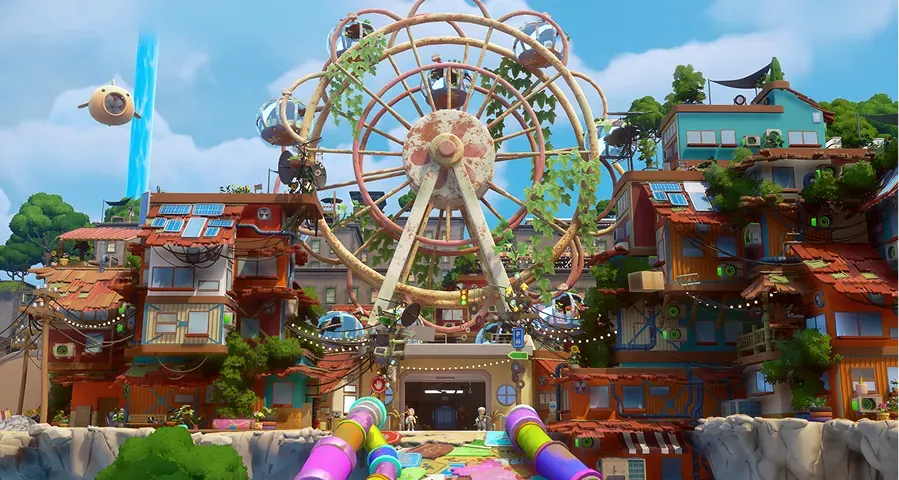
Why does Loftia use so much CPU and GPU?
Loftia ships without a frame-rate cap, so the game keeps drawing frames as fast as the hardware allows. That is why a machine that stays quiet in heavier games can run its fans at full speed here: the main menu alone was measured at roughly 500 FPS, and setting a 120 FPS limit settled the same machine (Steam discussion). Those figures come from the Demo build. Early Access still renders well above 60 FPS: a commenter in a 4 November thread puts their frame rate at 165 (Steam discussion).
On capable PCs the load shows up as 90% or higher GPU use and CPU temperatures players call absurd: one Demo-period thread lists 92–96% GPU on the cards posted there (Steam discussion). Nothing is wrong with your hardware when a cozy game heats a laptop; the renderer is simply being asked for as many frames as it can produce.
How do you cap the frame rate?
Set a limit before you change anything else, because it is the single change with the largest effect.
- Open the video settings and look for a frame-rate limit.
- If there is none, turn on V-sync or set a cap in the GPU control panel — NVIDIA Control Panel or AMD Software.
- Pick 60 FPS first, then raise it if the machine stays cool.
- Test in a busy district, not the main menu.
60 to 90 FPS is the range where temperatures and fan noise settled for the machines in those threads, without the game looking choppy. The cap is not a universal cure: the same heat has been reported at 30 FPS, so a machine that stays hot after limiting has a separate problem worth reporting through the bug report form.
Which area runs worst?
The Overgrowth in the Hanging Gardens is the area players single out. Frame rate drops sharply there, and the drop can arrive together with a loss of camera control (Steam discussion). It is not universal — a commenter in the same thread runs at 165 FPS anywhere on the map — so use the Overgrowth as your stress test, and check a second area before deciding that a setting did nothing.
Does the server you pick change FPS?
It can change both ping and frame rate, especially when you play far from the server. A group in the Netherlands moved from Ashburn to Frankfurt and saw the frame rate improve alongside the ping. Server choice is not permanent, but friends have to share one — servers and friends covers both rules.
What helps on a laptop or an older card?
- Cap the frame rate first; it is the change with the largest effect.
- Try the DirectX 11 option at launch, which Qloud names as the path for lower-performance machines.
- Lower the resolution before lowering every other setting; the Overgrowth is fill-rate heavy.
- Run on mains power with the performance profile on, not battery saver.
The published minimums, including the Apple Silicon floor on Mac, are in system requirements.
What if the game crashes instead of slowing down?
Gridfall crashes have been reported. Send those through the bug report form or to [email protected] with the log attached, rather than posting a forum reply; that is the route Qloud’s community manager points to. If the crash happens before you reach the world, at the avatar builder or the title screen, the launch options and log file are covered in launch and sign-in fixes.
What should a performance report include?
CPU, GPU, RAM, resolution, the frame cap you set, the district, the time, and the Loftia.log. The menu hub opened with Esc also carries a feedback button shaped like a person with headphones, in the bottom-right corner, next to the website form. Naming a district and a spec gets a report triaged faster than “it lags”, and a freeze that arrives together with a blocked objective is covered in stuck quests and resets.
Related Articles
guides
Loftia storage: Personal Storage and a full bag
Build Personal Storage at the Project Station, ship crops and cooked dishes instead of hoarding them, and hand fish to the Research Station that lists them.
guides
Loftia stuck quests: resets that clear the block
Clear a blocked objective with the reset that matches it: Pebble's City Tour, an unclosing dialogue, a stuck Adventure hand-in or the cat on the roof.
guides
Loftia won't launch or sign in: what to try first
Work through a Steam restart, a client update and file verification, try the DirectX 11 option, then send the Loftia.log with an official bug report.
Was this helpful?
Thanks for the feedback!