Loftia character customization: outfits, hair and paint
Customize your Loftian at creation or later in the Customization Menu, then collect outfits from tailoring, quests and Linda's shop.
Linda's second and third stock tiers need A Call From the Gardens and Everything Is Connected.
What can you change at character creation?
Character creation is the first screen of the game and covers hair style, hair colour, eyes, nose, mouth and a starter outfit. Colour is not limited to a fixed palette. Nothing there is locked behind a gender choice.
Patch #3 removed the back shortcut on that screen, to stop players leaving creation by accident.
Can you change your appearance later?
Yes. Open the Customization Menu to restyle your Loftian after creation. Press P in game to open the customization screen without walking to a station, as in this thread on changing a character.
You can also start over. Open the character select screen before entering the world; each character has an X to delete it, so you can recreate and pick a different name from the start. No rename option shows up in game and Qloud’s notes do not describe one, so the name reservation guide treats the creation name as fixed.
Pebble’s welcome quest, The Extremely Secret Surprise, asks you to “dress up in the Customization Menu” and hands over Adventure Shoes and a vending machine when you report back.
Is customization gender locked?
No. Qloud’s official FAQ says you will not have a set gender, and you can customize your character however you like. The Steam listing describes a character that “feels fully like you”, with “a super wide variety of different options and aesthetics” to choose from.
Where do new outfits come from?
| Source | How it works | What gates it |
|---|---|---|
| Tailoring Station | Craft clothing at home | Linda’s First Stitch quest |
| Quest rewards | Clothing pieces, handed over when the quest closes | A Thread of Inspiration, Our First Collection, The Extremely Secret Surprise |
| Linda’s Fashion Shop | Bought with Dews in Loftia City | First Stitch, then later story quests |
| Backer Boutique | Optional paid cosmetics | Real money, cosmetics only |
Linda’s shop opens in stages. The first tier appears once First Stitch is under way. The next tier needs A Call From the Gardens. The tier after that needs Everything Is Connected. Both of those quests sit later in the story.
First Stitch asks you to build a Tailoring Station at your house, craft any piece of clothing, and report back to Linda. The station is a recipe at the Project Station, made from salvaged screws and plastic. Clothing made there does not cost Dews.
How do item fragments work?
Fragments are pieces of a larger item. Collect enough of them and they combine into the finished item. Patch #1 fixed a bug that left item fragments uncombined after you had collected enough pieces.
Can you recolour furniture?
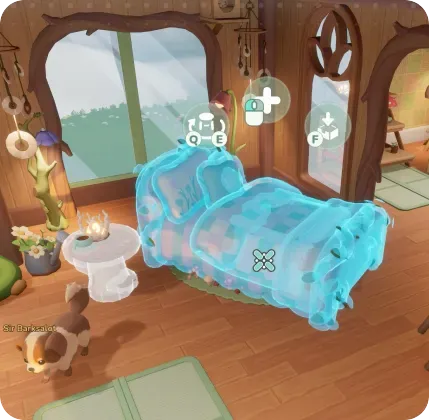
Yes. You choose paint colours for furniture. Patch #3 fixed a controller bug that stashed the furniture while you were choosing those colours. Milo’s Renovation Shop sells walls, arches and beams for Bloom once It’s On the House is done. Housing covers layout and neighborhoods.
Is any of this locked behind real money?
Only optional cosmetics. The Backer Boutique sells outfits, furniture, pet accessories and visual effects. Those purchases do not affect gameplay, and there are no gacha mechanics. Most cosmetics are earned in game: tailoring, quest rewards and Linda’s Dews stock. The buying guide separates the base purchase from the Boutique.
What expands in Early Access?
Early Access adds a much larger set of outfits, customization options and emotes than the opening build, plus more decorative styles for houses and islands. See the Early Access overview.
Related Articles
guides
Loftia storage: Personal Storage and a full bag
Build Personal Storage at the Project Station, ship crops and cooked dishes instead of hoarding them, and hand fish to the Research Station that lists them.
guides
Loftia low FPS and high CPU: what actually helps
Cap the frame rate first: Loftia runs uncapped, and the Overgrowth in the Hanging Gardens is the area players single out. Check your server region.
guides
Loftia stuck quests: resets that clear the block
Clear a blocked objective with the reset that matches it: Pebble's City Tour, an unclosing dialogue, a stuck Adventure hand-in or the cat on the roof.
Was this helpful?
Thanks for the feedback!